

IRONSCALES is an AI-powered email security platform designed to detect and stop phishing, spoofing, and business email compromise attacks. Thus, it works as a second layer of protection on top of Microsoft 365 or Google Workspace, using machine learning and crowd-sourced intelligence to identify threats traditional spam filters miss. Besides, it allows users to report suspicious emails and provides automated remediation across the organisation.
What exactly is IRONSCALES email security?
IRONSCALES is a cloud-based layer 2 email security solution. That means it doesn’t replace your Microsoft or Google spam filter — it enhances it to make sure your business is protected from phishing attacks. So, it has other features traditional spam filters don’t.
It specialises in detecting modern phishing techniques such as:
- Impersonation emails
- Brand forgery
- Supplier fraud
- Payment diversion attempts
- Business email compromise (BEC)
- Zero-day phishing attacks
Traditional filters scan for malicious links or attachments, but IRONSCALESscans for intent and behaviour — the things most attacks rely on today.
How does IRONSCALES potect businesses from phishing?
1. AI-assisted threat detection
IRONSCALES analyses each email using behavioural signals, sender reputation, writing style patterns, and known phishing fingerprints.
2. Real-time threat intelligence
If a phishing email is detected anywhere globally, the entire IRONSCALES community is protected within minutes.
3. Phishing simulation & training
Users receive realistic phishing tests and tailored micro-learning.
4. Automated remediation
If IRONSCALES finds something malicious on one mailbox, it removes it from all inboxes automatically.
5. User-friendly reporting tools
One-click reporting lets employees flag suspicious emails without calling IT.
What makes IRONSCALES different from traditional spam filters?
| Feature | Traditional Filters | IRONSCALES |
| Detects known viruses | ✔ | ✔ |
| Detects suspicious links | ✔ | ✔ |
| Detects intent-based phishing | ✘ | ✔ |
| AI behavioural analysis | ✘ | ✔ |
| Crowd-sourced threat intel | ✘ | ✔ |
| Automated inbox-wide remediation | ✘ | ✔ |
| Protection from BEC | Limited | Excellent |
Traditional filters catch bulk spam, but IRONSCALES catches sophisticated phishing attacks targeting SMBs.
What are the key features of IRONSCALES?
- AI threat detection
- Real-time community intelligence
- Advanced phishing simulations
- User training
- Threat dashboard
- Automated removal of malicious emails
- Domain spoofing protection
- Executive impersonation warnings
Does IRONSCALES work with Microsoft 365 and Google Workspace?
Yes — seamlessly.
Setup typically takes 60 minutes, with no disruption to users because it works via API, not MX record changes, meaning zero downtime. At Shropshire Computers, we handle all the set up, so you don’t have to worry about it. Our job is to make your life easier and keep you secure.
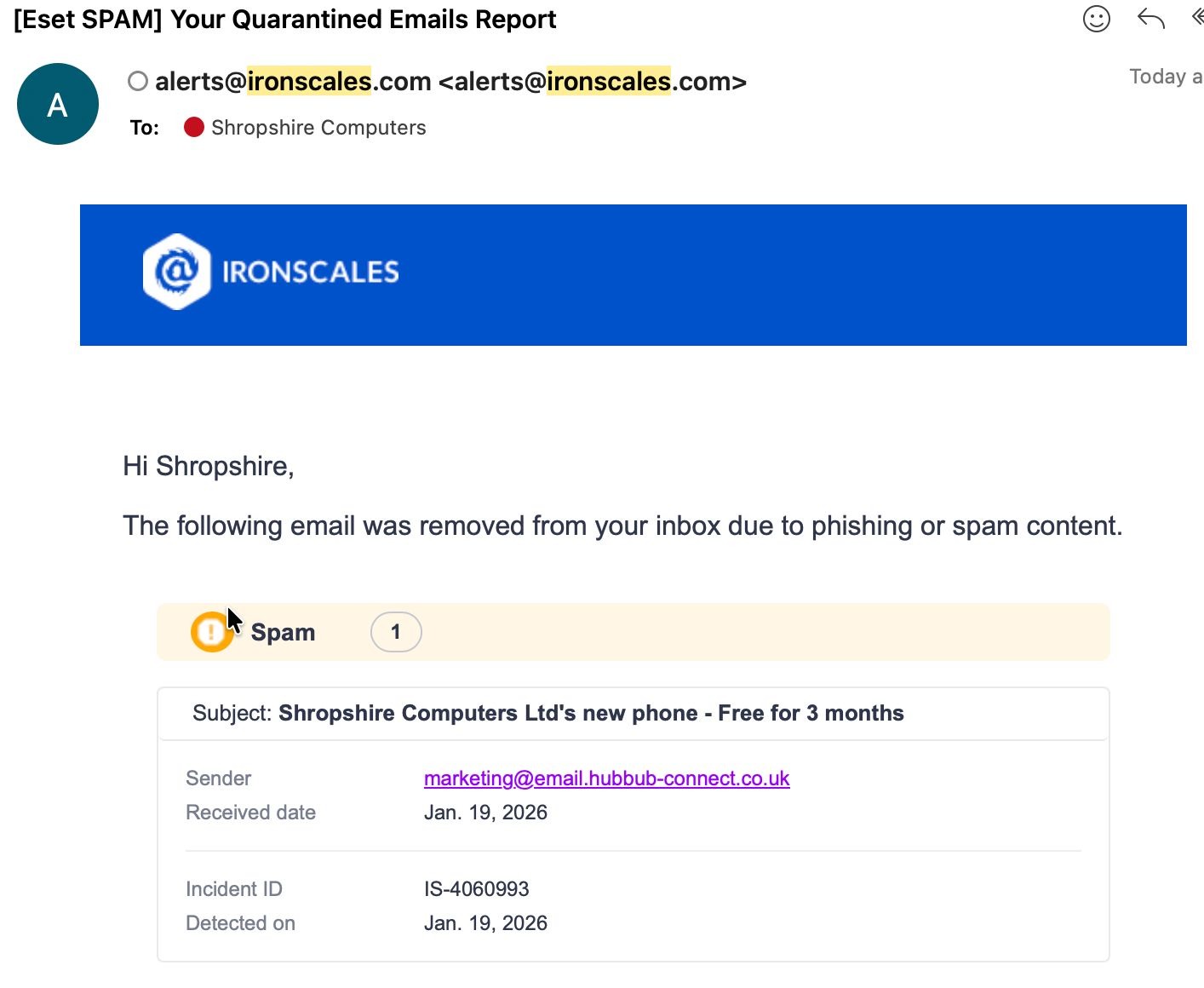
What real-world phishing examples have IRONSCALES stopped?
From client environments, IRONSCALES has caught:
- Fake “Microsoft password reset” emails
- Supplier impersonation with real invoice attachments
- “CEO urgent request” fraud
- Banking credential harvesters
- Fake DocuSign, Sage, and QuickBooks emails
These often pass default Microsoft filters and that is why having layered email security is so important. So, if a suspicious email passes the first layer, the second layer can stop it. To understand more about layered email security, you can check out this article that explains it in detail.
Is IRONSCALES suitable for SMBs?
Yes. Actually, IRONSCALES was designed specifically with SMBs and IT-managed businesses in mind because iIt requires minimal management and provides enterprise-grade protection. This is one of the reasons why at Shropshire Computers, we have decided to offer this layer of security for clients that want to strengthen their business.
How much does IRONSCALES cost?
Pricing varies because of different features and volume of the company. There are different plans depending on the size of your business and the features you want to have. If you are in Shropshire area, you can request a quote, so we can set up this for you.
Should your organisation use IRONSCALES?
If phishing is your biggest risk (and for most organisations it is), IRONSCALES provides the AI-driven protection modern businesses need. Also, it complements Microsoft 365, reduces IT workload, and offers outstanding real-world defence.
FAQ
1. What is IRONSCALES used for?
To detect and stop phishing, spoofing, and BEC attacks.
2. Does IRONSCALES replace Microsoft 365 Defender?
No — it enhances it as an additional layer.
3. Is IRONSCALES easy to set up?
Yes, setup usually takes 60 minutes.
4. Does IRONSCALES stop impersonation attempts?
Yes, it’s one of its core strengths.
5. Is IRONSCALES good for small businesses?
Absolutely — it was built with SMBs in mind.