What you need to know in 30 seconds:
- Microsoft’s April 2026 Windows security update added a new security warning to Remote Desktop Connection (RDP).
- The first time you open an RDP file after the update, you’ll see a first-launch educational dialog explaining the new warning. A checkbox lets you skip this first-launch dialog in future.
- Every time you open a remote desktop connection going forward, you’ll see a dialog with an orange “Caution: Unknown remote connection” banner. You must click Connect to continue.
- This warning is not a virus or a sign something has gone wrong. It is a deliberate Microsoft security feature.
- Shropshire businesses connecting PC-to-PC via Remote Desktop will always see this warning — it cannot be turned off for those users.
- For businesses using an RDS (Remote Desktop Services) server, IT providers like Shropshire Computers may be able to mitigate the warning.
You sit down at your desk on a Monday morning, open your usual remote desktop connection, and — before you can get to work — a new orange warning appears on your screen. It says “Caution: Unknown remote connection.” Your finger hovers over the mouse. Should you click Connect? Has something gone wrong? Has there been a security breach?
Take a breath. You are not being hacked. This warning is a deliberate change introduced by Microsoft’s April 2026 Windows security update, and it is appearing on screens across Shropshire and the rest of the UK right now.
At Shropshire Computers, we’ve been helping local businesses with IT support for years, and our phones have been busy with calls about this very warning. This article explains exactly what the warning means, why it appeared, and what your staff should do.
What Is the Windows Remote Desktop Security Warning Appearing in April 2026?
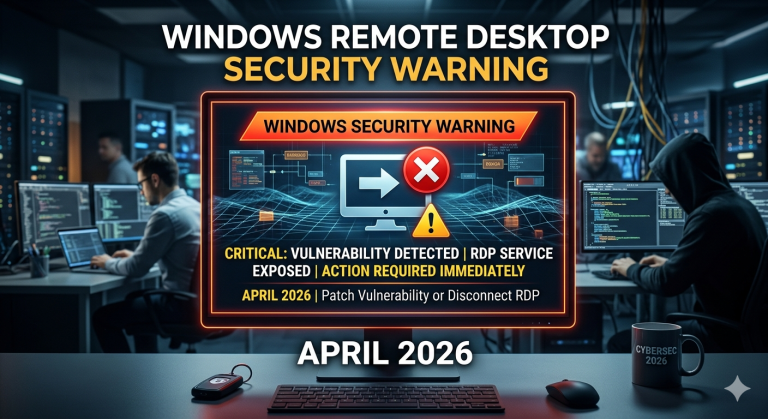
The Windows Remote Desktop security warning April 2026 is a new set of security dialogs that Microsoft added to the Remote Desktop Connection (RDP) application as part of its April 2026 cumulative security update.
There are two parts to this change:
- A first-launch educational dialog — shown once the first time a user opens an RDP file after installing the update.
- An ongoing security warning with an orange banner — shown every single time a user opens a remote desktop connection from that point forward.
Both dialogs are intentional. Microsoft designed them to make sure users are aware of what they are connecting to before they proceed.
What Does the First-Launch Dialog Say?
The first-launch dialog appears the very first time a user opens an RDP file after the April 2026 update. Think of it as an introductory notice from Microsoft — it explains that a security warning will now appear each time you start a remote desktop session.
Importantly, this dialog includes a checkbox that lets users opt out of seeing it again in the future. If your staff member ticks that box and clicks through, they won’t see the first-launch dialog again — but they will still see the main security warning every time they connect.
What Is the Orange “Caution: Unknown Remote Connection” Banner?
This is the warning most Shropshire business owners and their staff are contacting us about.
Every time a user opens a remote desktop connection, they now see a dialog box with a prominent orange banner at the top. The banner reads:
Caution: Unknown remote connection
Beneath the banner, the dialog provides information about the remote computer they are trying to connect to. To proceed, the user simply clicks the Connect button.
This warning will appear every single time — it does not go away after the first click. It is a permanent, recurring feature of the updated Remote Desktop application.
Why Did This Warning Suddenly Appear?
The short answer: Microsoft pushed a security update in April 2026 that changed how the Remote Desktop Connection application behaves.
Microsoft regularly updates Windows to improve security. This particular update focused on making Remote Desktop connections more transparent to users — especially in situations where the remote computer cannot be fully verified. The goal is to prevent users from accidentally connecting to a computer they don’t recognise or haven’t authorised.
This is consistent with a broader industry trend of adding more visible security checks to common tools. It is not a response to a specific virus or hack — it is a proactive improvement to Windows security.
For more technical detail, Microsoft has published official documentation here: Understanding security warnings for Remote Desktop — Microsoft Learn
Is the Remote Desktop Orange Warning Dangerous?
No — the warning itself is not a sign of danger. Seeing the orange “Caution: Unknown remote connection” banner does not mean:
- Your computer has a virus
- Someone is trying to hack you
- Your remote desktop connection has been compromised
- Something has gone wrong with your IT setup
It means Windows is doing its job — flagging the remote connection so you can confirm you intended to make it.
That said, the warning exists for a reason. If a member of staff sees this dialog and does not recognise the remote computer they are supposedly connecting to, they should stop and speak to their IT provider before clicking Connect. The warning is a useful reminder to think before you click.
In the vast majority of cases across Shropshire businesses, staff will recognise their usual remote connection and can safely click Connect to continue working as normal.
What Should Staff Do When They See the Warning?
This is the most practical section — and the one to share with your team.
Step-by-Step: What to Do the First Time You See the Warning
The first time a staff member opens their usual remote desktop connection after the April 2026 Windows update, here is what will happen and what they should do:
Step 1: Open your RDP file or Remote Desktop shortcut as you normally would.
Step 2: A first-launch educational dialog will appear. Read it — it explains that Microsoft has introduced a new security warning for remote desktop connections.
Step 3: If you don’t want to see this introductory dialog again in future, tick the checkbox on the dialog. (Note: ticking this box hides the first-launch dialog only — the main orange warning will still appear every time.)
Step 4: Click through the first-launch dialog.
Step 5: The main security dialog appears with the orange “Caution: Unknown remote connection” banner. Check that the details shown match the computer you are trying to connect to.
Step 6: If everything looks right, click Connect. You’ll reach your remote desktop as usual.
What Happens Every Time After That?
From this point on, every time a staff member opens a remote desktop connection, they will see the orange warning dialog. They simply need to:
- Check the connection details look familiar, then
- Click Connect
That’s it. The orange warning is an extra click — nothing more. Work continues as normal once they connect.
Can Staff Turn Off the Remote Desktop Security Warning?
This is one of the most common questions we hear from Shropshire business owners, and the honest answer depends on how your business uses Remote Desktop.
For staff connecting PC-to-PC via Remote Desktop: Unfortunately, no — the ongoing orange warning banner cannot be disabled for standard PC-to-PC remote desktop connections. It will appear every time. Microsoft has designed this as a permanent security feature. Staff simply need to accept it as an extra click in their daily routine.
The first-launch dialog (the introductory notice) can be suppressed — staff just need to tick the checkbox the first time they see it.
For businesses using an RDS server: There may be options available. Shropshire Computers is actively investigating mitigation options for RDS server environments. If your business uses a Remote Desktop Services (RDS) server to provide remote access, get in touch with us and we can advise on whether anything can be done to reduce the impact of this warning in your specific setup.
What Does This Mean for Shropshire Businesses Using an RDS Server?
Many businesses across Shropshire — from Shrewsbury to Telford, Ludlow to Oswestry — use Remote Desktop Services (RDS) servers to give staff remote access to their business applications and files. If your business is in this category, this update may affect your users differently to a standard PC-to-PC connection.
Shropshire Computers is currently investigating options to mitigate the warning for RDS server users. We cannot yet confirm exactly what options will be available, but we are working on this and will update our clients directly as soon as we have firm guidance.
If you are an existing client with an RDS server setup and you have concerns, please contact us — we will be happy to discuss your specific situation and update you on our findings.
When Should You Contact IT Support?
In most cases, the orange warning is nothing to worry about. But do contact your IT support team if:
- A staff member sees the warning when they were not trying to open a remote desktop connection
- The connection details shown in the warning don’t match any computer your business owns or uses
- A staff member accidentally clicked somewhere they shouldn’t have and is worried they may have connected to an unknown computer
- You are unsure whether the warning your team is seeing is the Microsoft update — or something else entirely
- You run an RDS server and want to understand your options for managing this warning
If you’re a Shropshire business without an IT support provider, Shropshire Computers is here to help. We provide local, friendly IT support across Shropshire — from one-off advice calls to ongoing managed support contracts.
Frequently Asked Questions
Is the Windows Remote Desktop warning a virus?
No. The “Caution: Unknown remote connection” warning that appeared after the April 2026 Windows update is not a virus. It is a new security dialog introduced by Microsoft to make Remote Desktop connections more transparent. If your usual antivirus software is running normally and you haven’t noticed any other unusual activity, there is no cause for concern.
Why did a new warning appear after a Windows update?
Microsoft released a security update in April 2026 that changed how the Remote Desktop Connection application works. The update added a new first-launch dialog and an ongoing orange warning banner to help users confirm they are connecting to the right computer. This change affects all Windows computers that received the April 2026 cumulative update.
Is it safe to click Connect on the remote desktop warning?
Yes — as long as the connection details in the dialog match a computer you recognise and intended to connect to. The orange banner says “Caution: Unknown remote connection,” but in most cases, staff are simply opening their usual work connection. Check the details look familiar, then click Connect. If anything looks unfamiliar, do not connect and contact your IT support provider.
Can I skip the remote desktop security warning?
The first-launch dialog (shown only the first time) can be skipped in future by ticking a checkbox. However, the ongoing orange warning that appears every time you open a remote desktop connection cannot be turned off for standard PC-to-PC connections. It is a permanent feature of the April 2026 Windows update. For RDS server users, there may be mitigation options — contact Shropshire Computers to find out more.
What should Shropshire businesses do about the new RDP warning?
Shropshire businesses should reassure their staff that the warning is safe and expected. Staff should read the warning, confirm the connection details look familiar, and click Connect to continue. Businesses using an RDS server should contact their IT provider — Shropshire Computers is investigating mitigation options for RDS environments. For PC-to-PC Remote Desktop users, the orange warning will appear every time and cannot be disabled.
Will this warning go away on its own?
No. The orange “Caution: Unknown remote connection” warning is a permanent feature introduced by the April 2026 Windows update. It will appear every time a user opens a remote desktop connection. Microsoft has not indicated it will be removed in a future update. Your staff should treat it as a normal part of the connection process — an extra click to confirm they intended to connect.
What is the difference between the first-launch dialog and the orange warning?
The first-launch dialog is a one-time introductory notice that explains the new security warning system. It appears only the first time you open an RDP file after the April 2026 update, and you can opt out of seeing it again via a checkbox.
The orange warning (the “Caution: Unknown remote connection” banner) is separate — it appears every single time you open a remote desktop connection, regardless of whether you ticked the checkbox on the first-launch dialog.
Need Help? Shropshire Computers Is Here
The Windows Remote Desktop security warning April 2026 has caught a lot of Shropshire businesses off guard. It looks alarming — but as this article explains, it is a deliberate Microsoft security feature, not a sign that something has gone wrong.
If your team is seeing this warning and you want a local IT expert to walk you through it, or if you run an RDS server and want to understand your options, Shropshire Computers is ready to help.
We’re a trusted IT support company based right here in Shropshire, and we’re already supporting local businesses through this change. Whether you need a quick call to put your mind at rest, or ongoing IT support for your whole team, we’re here.
Contact Shropshire Computers today — friendly, local IT support for Shropshire business